
Bromcom/MCAS
I would like to introduce you to our parental information and communication system; Bromcom and MCAS (My Child at School). We are keen to maintain good and immediate communication between families and school. We think that this system will help to improve this further by letting you have instant information about your child, these include:
- Their timetable
- Attendance
- Behaviour
- Dinner money top ups
- Recent meals
- Homework
- Upcoming clubs and trips
- Outstanding payments
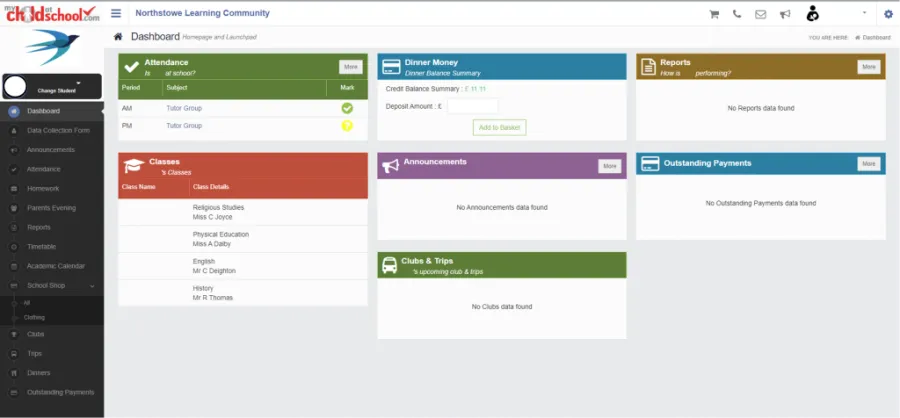
With Bromcom, we will have access to a comprehensive platform that will streamline communication between our school, our parents and carers. Bromcom will simplify administrative tasks and provide more efficient systems for both school, parents and carers.
A key advantage to support you during your child’s journey through our school is the opportunity to access the parent portal via the Bromcom website or access the app (Apple or Android) called My Child At School (MCAS). If you have children at other Meridian Trust schools, or other schools using Bromcom, your single login will allow you to see information about all of your children in the same place.
Through MCAS we will be able to make information available to you more efficiently, including school-related payments, such as those for school meals or trips, offering a more convenient and secure method for managing transactions. As such we have now retired the old payment system, balances have been transferred and we now ask
you to use MCAS for all future transactions. The old payment system may still be accessible to you, and it may show your migrated balance for a period of time, however please ignore this as your balance has been transferred to MCAS.
Parents who have parental responsibility for each child on our system will receive an invitation by e-mail from our MCAS system to the e-mail address we hold in our system. This will invite you to create a password for MCAS. Please note you will need to have a minimum of 8 characters, including an UPPERCASE, lowercase, a number and a special character (such as: !@£$%&+-).
Please check your junk mail folder first as sometimes emails from new senders can drop into this folder.
The generated e-mail has a signup link which expires after 24hrs. If the link no longer works, then go to www.mychildatschool.com, click “Sign Up”, enter the school’s postcode, pick the school from a drop-down list and enter your e-mail address.
To access this new tool, you will need to either:
- Search for MCAS from the Apple App Store or Google Play Store and install the App to a mobile device – you can have it on multiple devices if you wish.
- If you do not have a device suitable for the app, you can access the same great features through the website at https://www.mychildatschool.com/MCAS/MCSParentLogin
We understand that transitioning to a new system may raise questions. Should you have any questions or require assistance, please do not hesitate to contact the school office in the normal way.
The Trust website has a guidance section for parents and carers on the use of MCAS. Please do take the time to visit if you have the opportunity – www.meridiantrust.co.uk/mcas